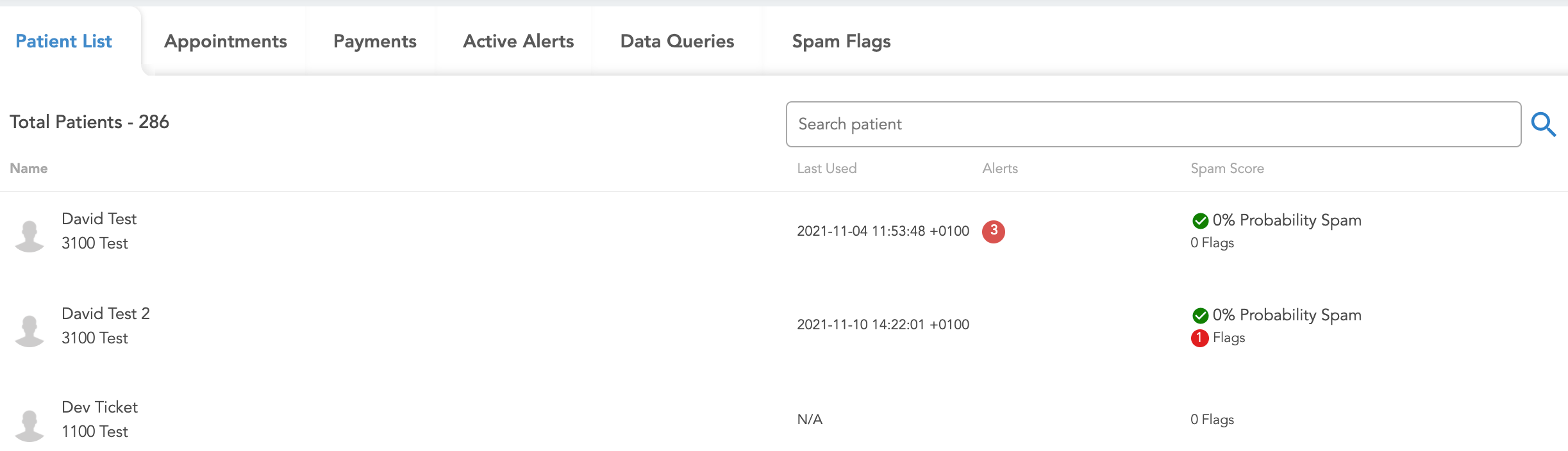
Patient List
The tabs in the upper half of the dashboard provide more information about the specific patients within the study, including a full list of any patients within a chosen group, any upcoming appointments, payments, all active alerts, data queries, and potential spam flags.
The full list of patients for whichever group is currently selected can be found in this tab. For every patient in the list, you can also see the Last Used date & time (indicating when the patient has last logged into Health Storylines. A value of N/A means they have never entered the app.)
You can also see how many alerts they may have on their account, as well as their spam score and any potential flags that indicate if the patient may need to be evaluated. Note that a 0% Probability Spam score accompanied by a flag usually means a duplicate IP address was used, which by itself is not enough to determine if an account is fake but may need to be checked.