This tab contains the reports that are generated. Since some reports can take a few minutes to generate, the report is generated in the background while allowing the user to carry on with their tasks. Once the report is ready, it can be downloaded from this tab. 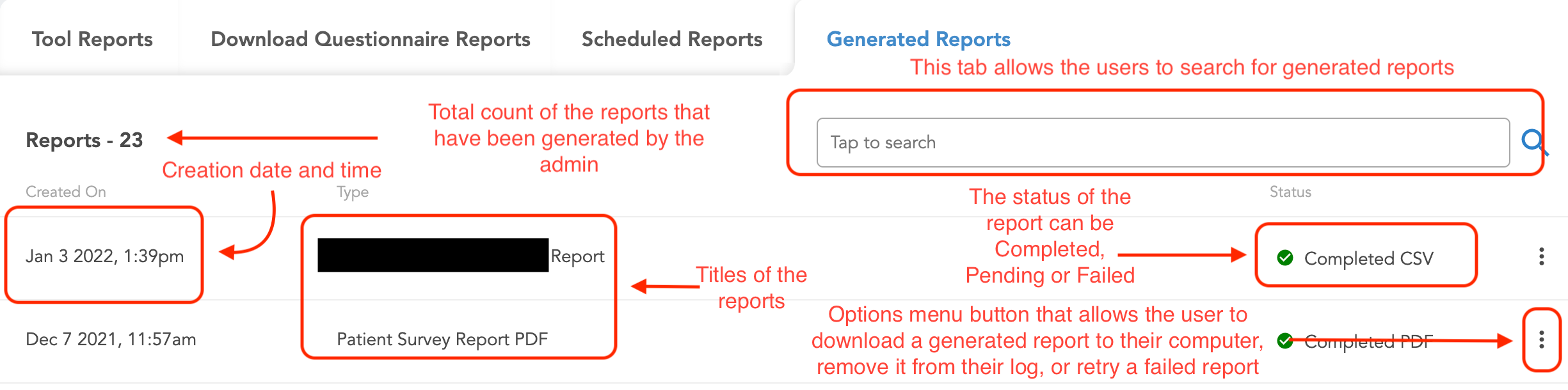
After an admin clicks on download a report, it begins downloading in the background. If the report is in queue to be downloaded, the status of the report will say “Pending.”
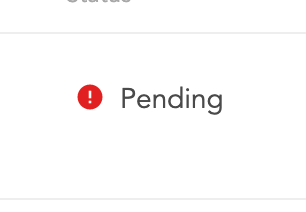
Once the report begins being generated, the status switches from “Pending” to “Generating.”
Once a report has been generated, the status switches from generating/pending to Completed. After the admin can click on the three dots on the right and a pop-up will appear.
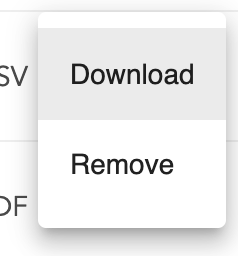
Once this pop-up appears, select the download option to download the report to your computer. The admin can also choose to remove the report from their generated reports tab. Please note if a report has failed, the admin can retry the download for their failed report.