This tab contains the existing triggers. Please note that this tab is available to admin 1, 2, 3, and 4. Each trigger shows the name, description, payment amount and the groups that it is set up for. The user can edit or remove the trigger by clicking on the three dots on the side of each trigger cell.
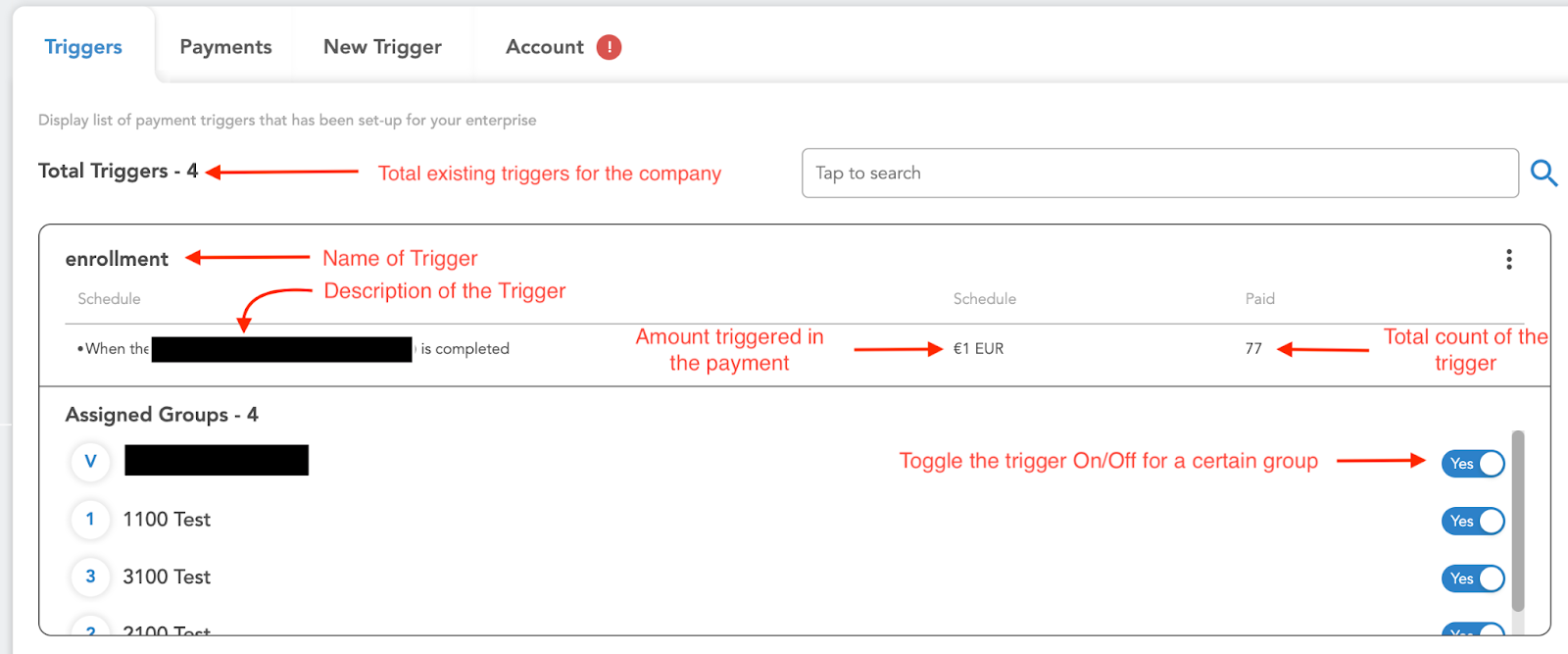
When the user clicks on edit, it opens a window to make changes to the trigger.

The user can click on “advanced” to find more options for the trigger. This setting includes manual verification and limit per user.
