Several examples, with context provided, can be found below. Any personally identifiable information has been blurred in screenshots.
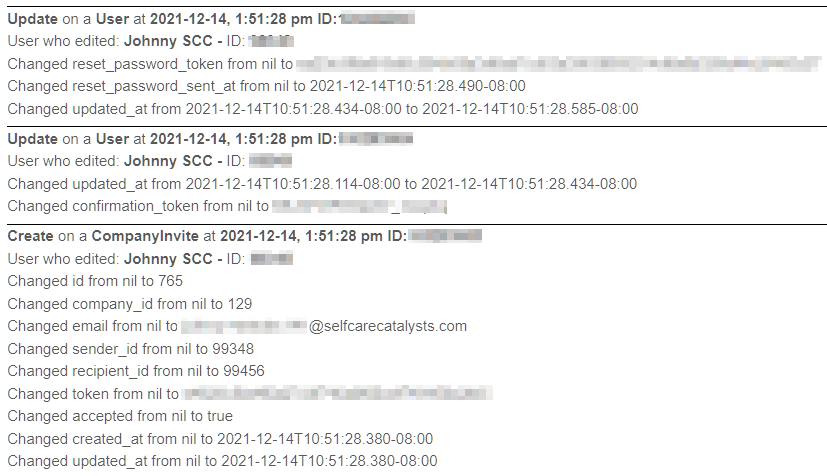
Example 1: Password Resets, User Edits, Patient Invites
Below, three actions are recorded on the log in quick succession and all occurring on 1:51:28 PM on a given day. In order from top to bottom, these are:
-
A password was reset for a user.
-
A user, in this case Johnny SCC, made an edit. The last time this admin user made any edit is recorded in the log.
-
An invite to a specific group was sent out. The ID of the user was 765, while other information was also recorded in the Audit Log (eg. the company/group the user is a part of is associated with the number 129, as well as the email, ID of the sender/admin user in this case, ID of the new user (99456), etc.
Example 2: User Relationship Updates, Test Account Status
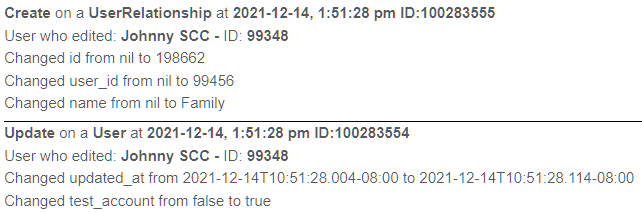
At the top of this screenshot, a user’s relationship to another user was changed from no relationship to 'Family.' This is related to the Circle of Support feature.
The second portion is an update that changed a user’s status from a regular account to a test account, meaning that the account has been flagged as being designed only for test purposes and is not associated with a real study/project participant, and can be removed at a later date when no longer necessary for testing.
Example 3: Creating New Users
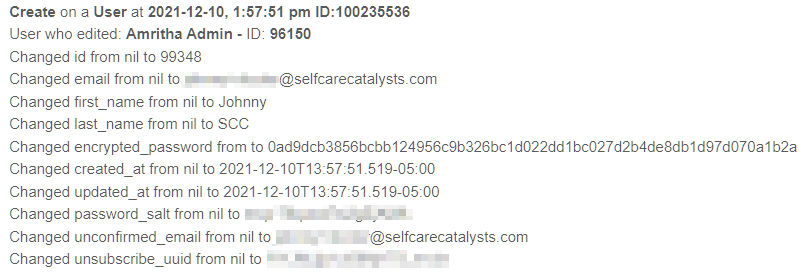
In this example, Amritha Admin created a new account for a user. The email of the account, as well as some additional details about the account created including name and it was created are recorded in the audit log.
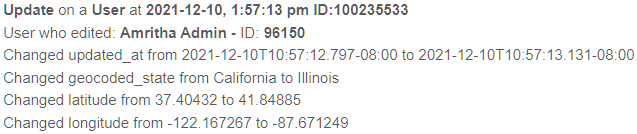
Example 4: User Location Update
In this screenshot, a user’s information was changed. The U.S state they live in was originally California, but was changed to Illinois, which also automatically updated their latitude and longitude accordingly.
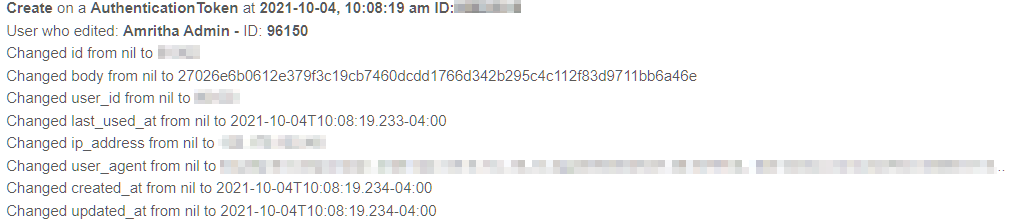
Example 5: User Authentication/Login
In this screenshot, an authentication event has occurred - that is to say, a participant within the study/project the admin is a part of has successfully logged in to Health Storylines to interact with the app.
These events capture the time the user entered the app, as well as the device they logged in from and the IP address of the computer network they were using when they signed in.